Portfolio - Inbound Flow

Building an Inbound Flow inside HubSpot

No manual triage. No shared inbox guesswork. Just one HubSpot form, taught to recognize where a lead is coming from and hand them straight to the representative who covers that country. Here's how I built it, end to end.

The big picture

How this flow improves inbound

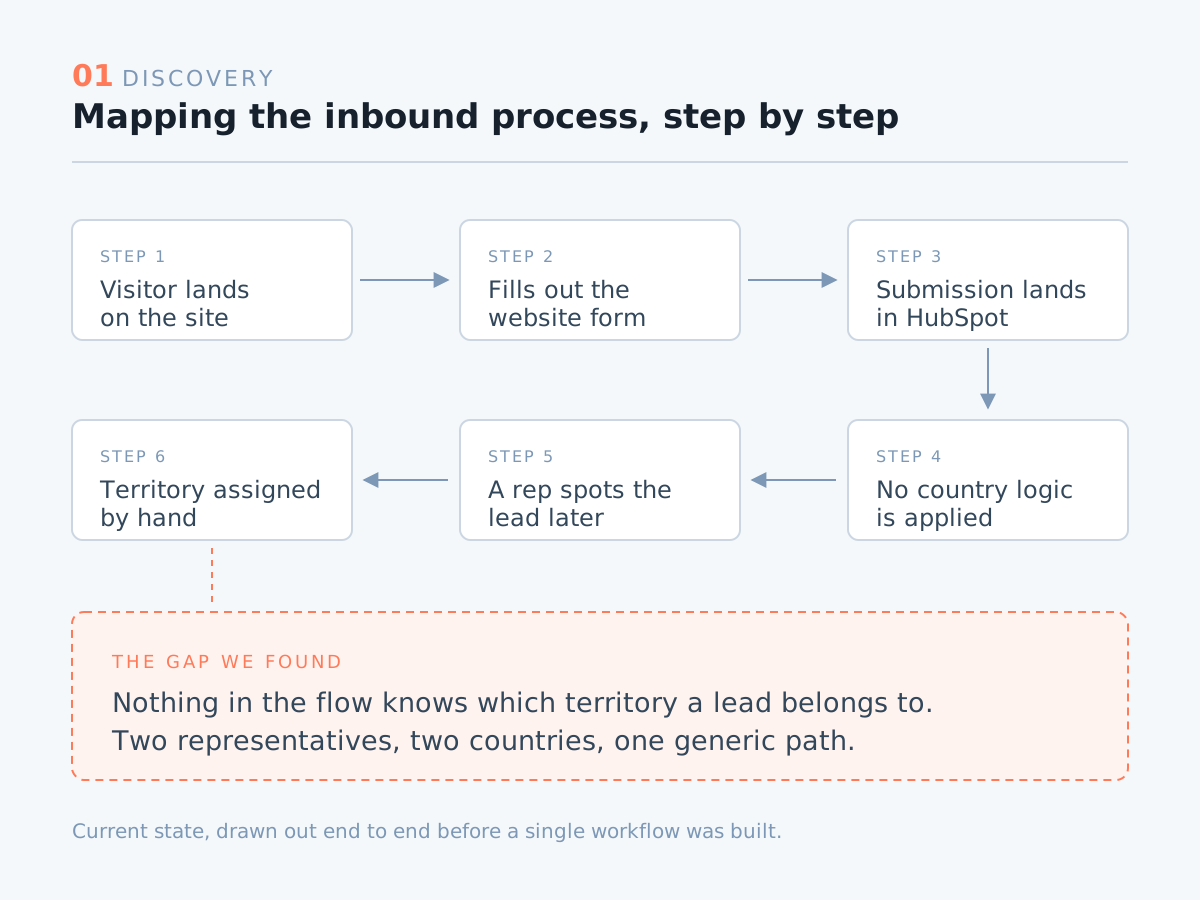
The client had a basic HubSpot form on their website and representatives, each responsible for their own country. But the form treated every submission identically. Nothing on the page acknowledged where the lead was coming from, nothing pointed them to the right calendar, and nobody was told a lead had arrived until someone thought to check. Sorting out who belonged to whom happened manually, after the fact, and every hour spent sorting was an hour the lead spent cooling off.

So we made the form do the deciding. From the moment a lead picks their country, the portal knows which calendar to open, which representative to alert, and what to do if that lead never books. The visitor sees a booking page that feels like it was waiting for them, everything behind it runs on its own.

01 Discovery

Map the process before touching the portal

Every build starts with a call, not a workflow. I walked the client through their inbound process step by step, from the moment a visitor lands on the form to the moment a meeting shows up on a rep's calendar, and untangled what they actually wanted to happen versus what was happening today. That conversation is where the real requirements live: two representatives, two territories, and no clean way to get the right lead to the right one.
cs-routing-1-discovery
02 Blueprint

Draft the process before building it

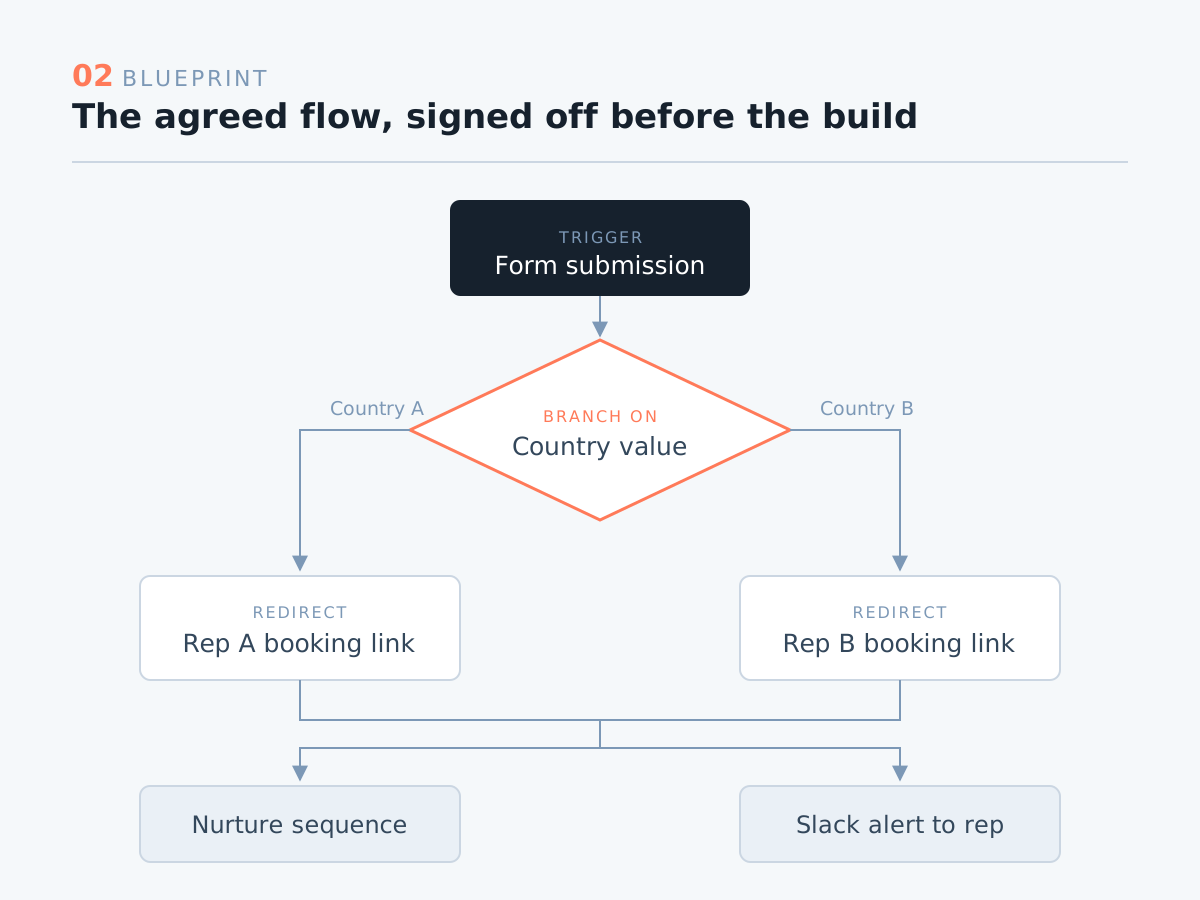
Before any of it went into HubSpot, I mapped the agreed flow into a draft, every step, every branch, every hand-off, written down and signed off. It costs an afternoon and saves a rebuild. By the time I opened the portal, there was nothing left to decide, only to build.

cs-routing-2-blueprint
03 Foundation

Replace the legacy form with the new form editor

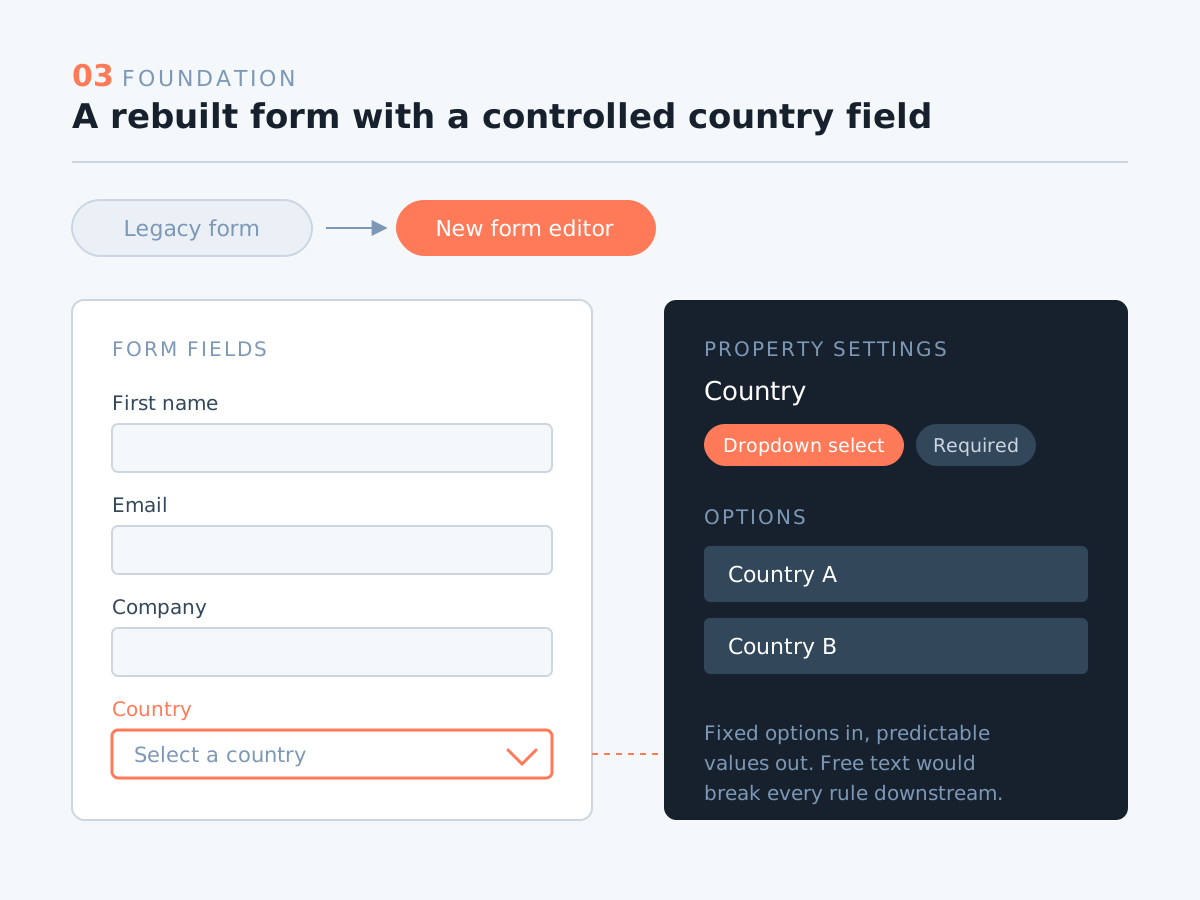
The client's site was still running a legacy form. That's the first thing I swapped out, migrating it to HubSpot's new form editor. It looks like a cosmetic change at this stage, but it's the piece that makes everything after it possible, the newer editor gives me the conditional logic and redirect control the routing depends on. While rebuilding it, I made country a dropdown property rather than a free text field, so the values coming in are predictable, consistent, and safe to automate against. Free text breaks routing. Controlled options don't.

cs-routing-3-form
04 Routing

Send each lead to the right rep's calendar

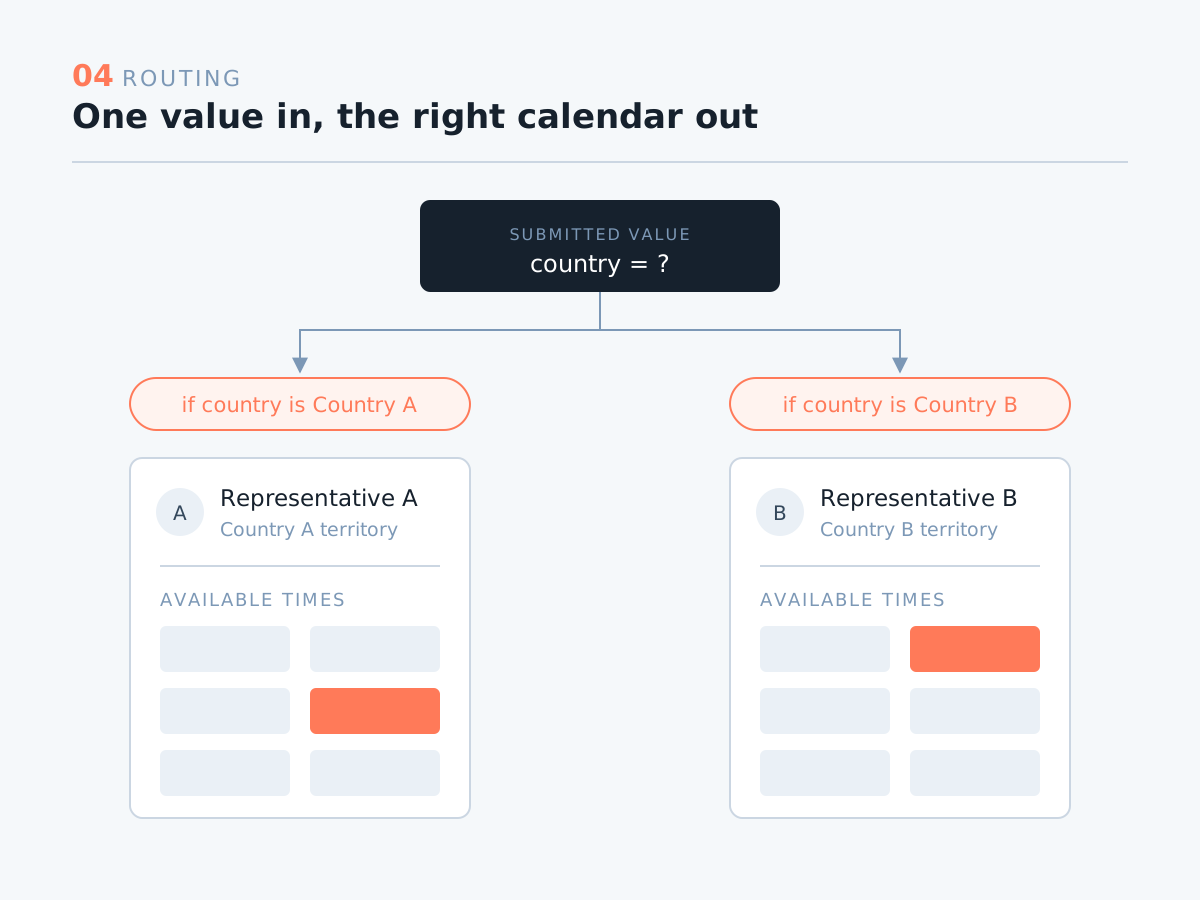
With clean country values coming in, the form reads the submitted value and redirects the lead to a personalized booking link, one representative per territory, each with their own calendar. The lead never sees a routing rule or a "someone will be in touch" message. They finish the form and land directly on the right person's availability, in one step.

cs-routing-4-routing
05 Recovery

Nurture the leads who don't book

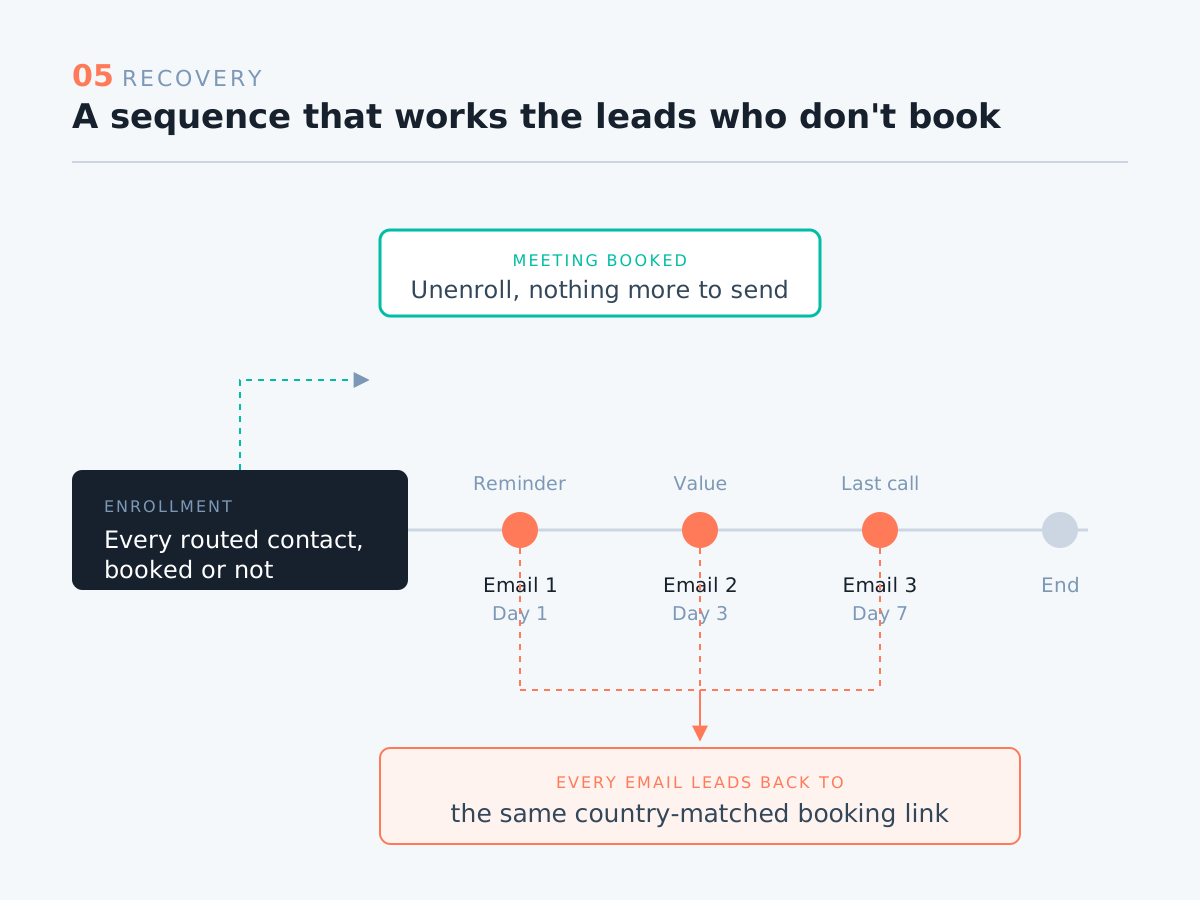
Not every lead books on the spot, and that's exactly where most funnels quietly leak. So every contact who comes through the form is also enrolled into a nurturing sequence. If the meeting gets booked, great. If it doesn't, the sequence keeps working on that lead and brings them back to the same booking link, so a missed click doesn't become a lost opportunity.

cs-routing-5-nurture
06 Hand-off

Notify the assigned rep in Slack

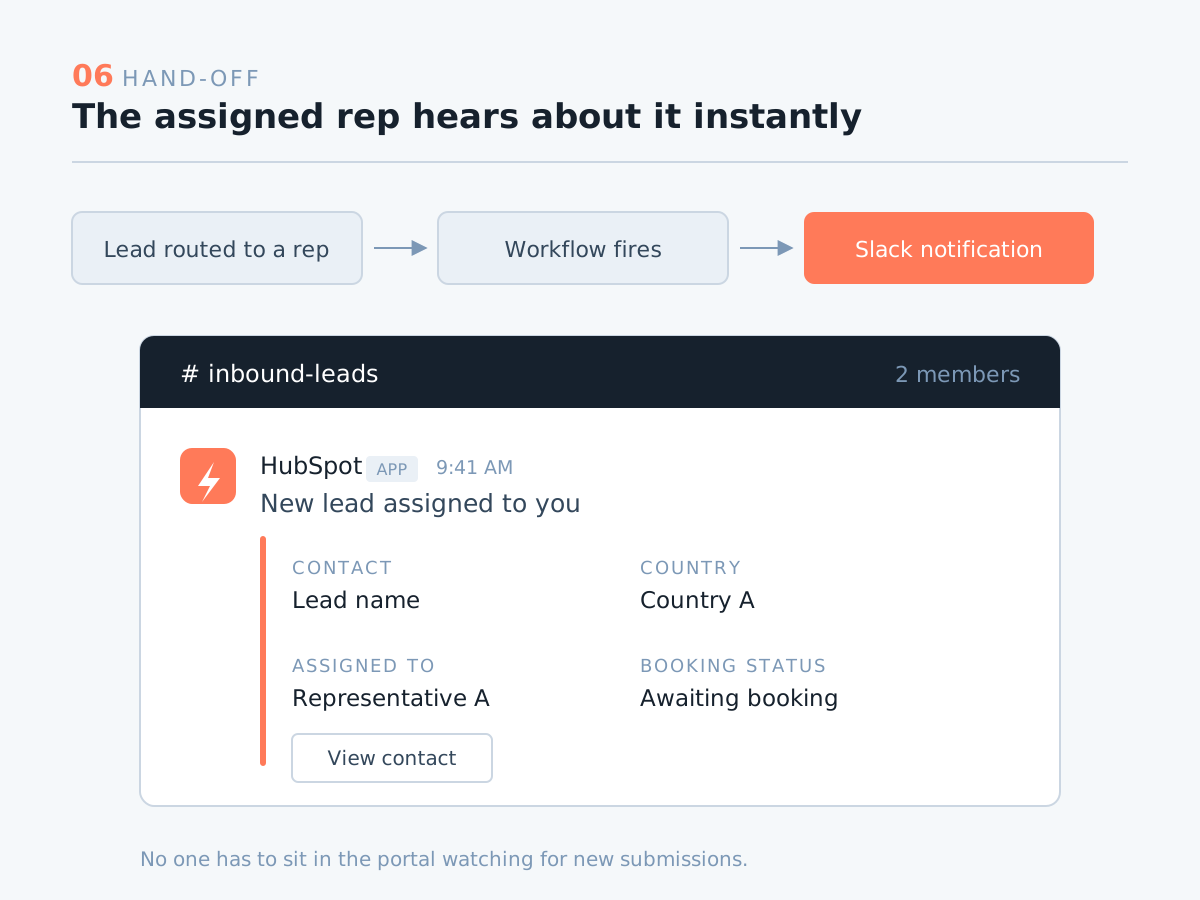
The last piece closes the loop on the internal side. A Slack integration pings the assigned representative the moment a lead is routed to them, so they know who's coming, where they're from, and what to expect before the meeting ever starts. No one has to sit in the portal watching for new submissions.

cs-routing-6-slack

Have a HubSpot project in mind?

Let's talk about how I can help.

Contact Me