Portfolio - Paperless Quotes Integration

How I Integrated Paperless Quotes to HubSpot

A quoting system on one side, a CRM on the other, and no line of sight between them. Here's how I connected Paperless quotes to HubSpot deals, down to the line items and the numbers behind them.

The big picture

How we untangle complex integration to a reliable solution

The client ran their quoting in Paperless and their pipeline in HubSpot, and the two never spoke. Every quote that went out had to be re-entered on the HubSpot side by hand, which meant deals sat with stale values, line items either didn't exist or didn't match, and nobody could trust the pipeline number without opening the quoting system to check it.

The ask was direct: when a quote is created in Paperless, a deal should appear in HubSpot, matched to that quote. If the quote already exists, the deal should update instead of duplicating. And critically, the quantities, unit prices, and totals had to carry through to the deal and its line items, not just as a summary figure.

01 Discovery

Understand the quote before moving it

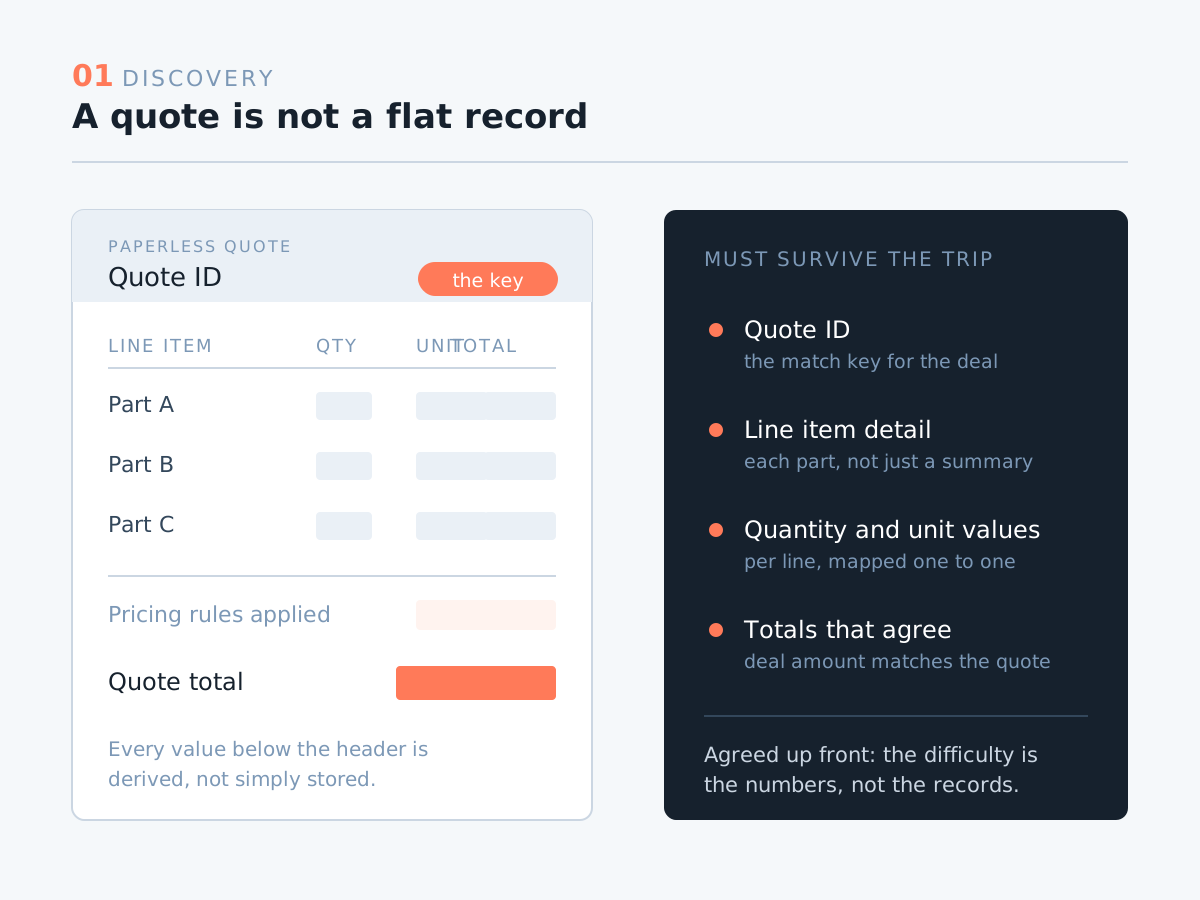
Paperless quoting is not a flat object. Before writing a single step of automation, I worked through how the client's quotes are actually structured, how quantities relate to pricing, and which values had to survive the trip into HubSpot. The client and I agreed early on where the difficulty sat: not in moving records, but in making the numbers come out the same on both sides.
cs-paperless-1-discovery
02 Approach

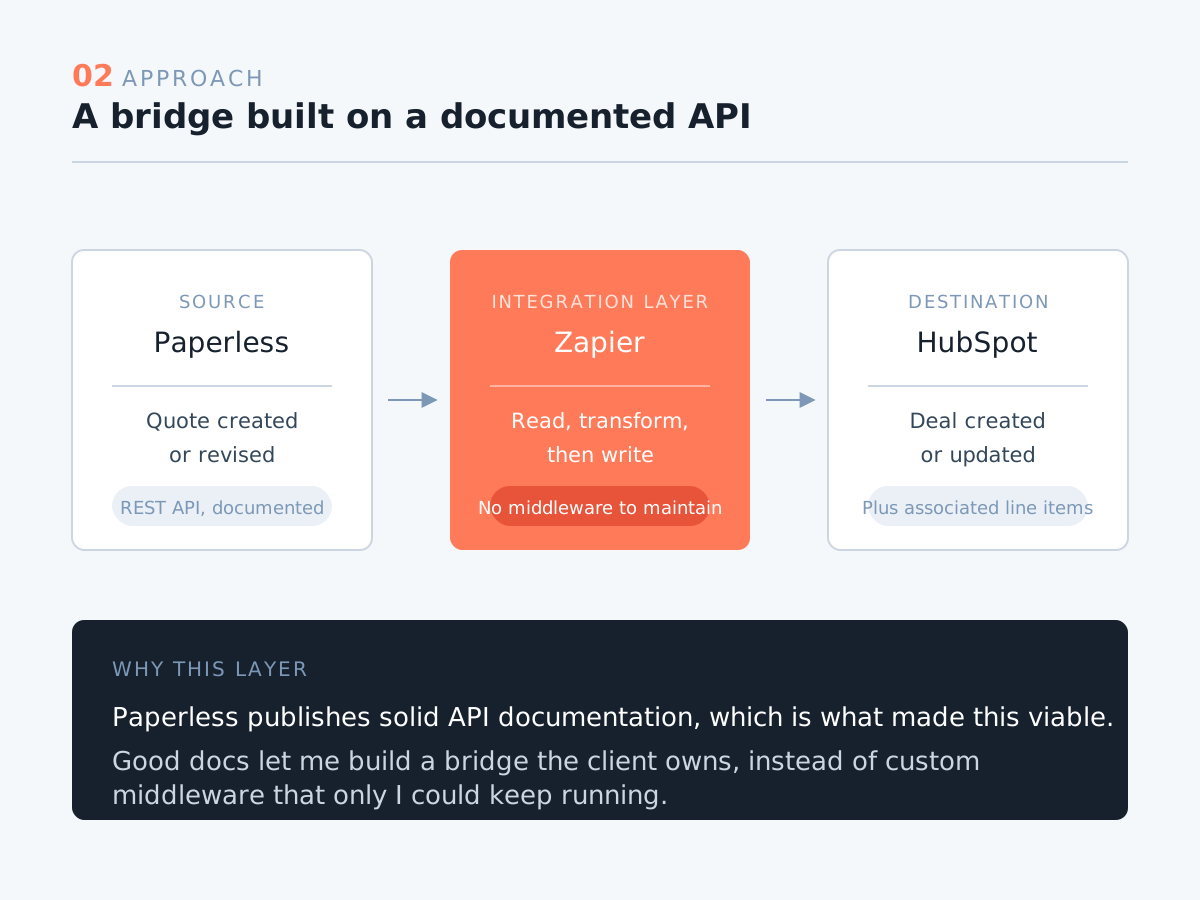
Build the bridge in Zapier, on top of a documented API

Paperless publishes solid API documentation, which made Zapier the right integration layer for this. It gave me a reliable way to read quote data as it's created and hand it to HubSpot, without standing up and maintaining custom middleware the client would depend on me to keep alive. The documentation is what made the approach viable, so it's worth saying plainly: good API docs shortened this project considerably.

cs-paperless-2-approach
03 Matching

Key everything to the Paperless quote ID

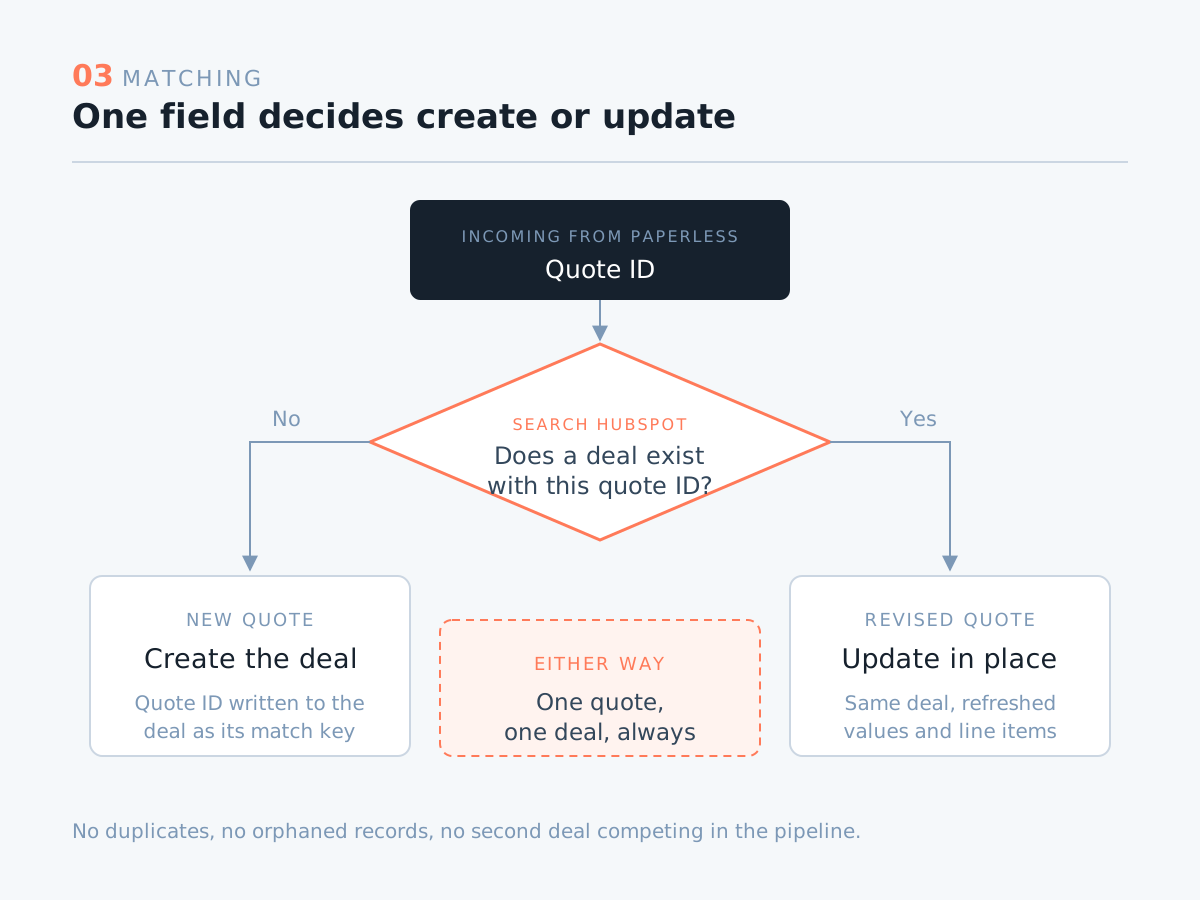
The whole integration hinges on one field. Every deal is matched against the Paperless quote ID, so a new quote creates a deal and a revised quote updates the one that already exists. No duplicates, no orphaned records, no second deal quietly competing with the first in the pipeline. The quote ID is the single source of truth tying the two systems together.

cs-paperless-3-matching
04 Line items

Carry the detail, not just the total

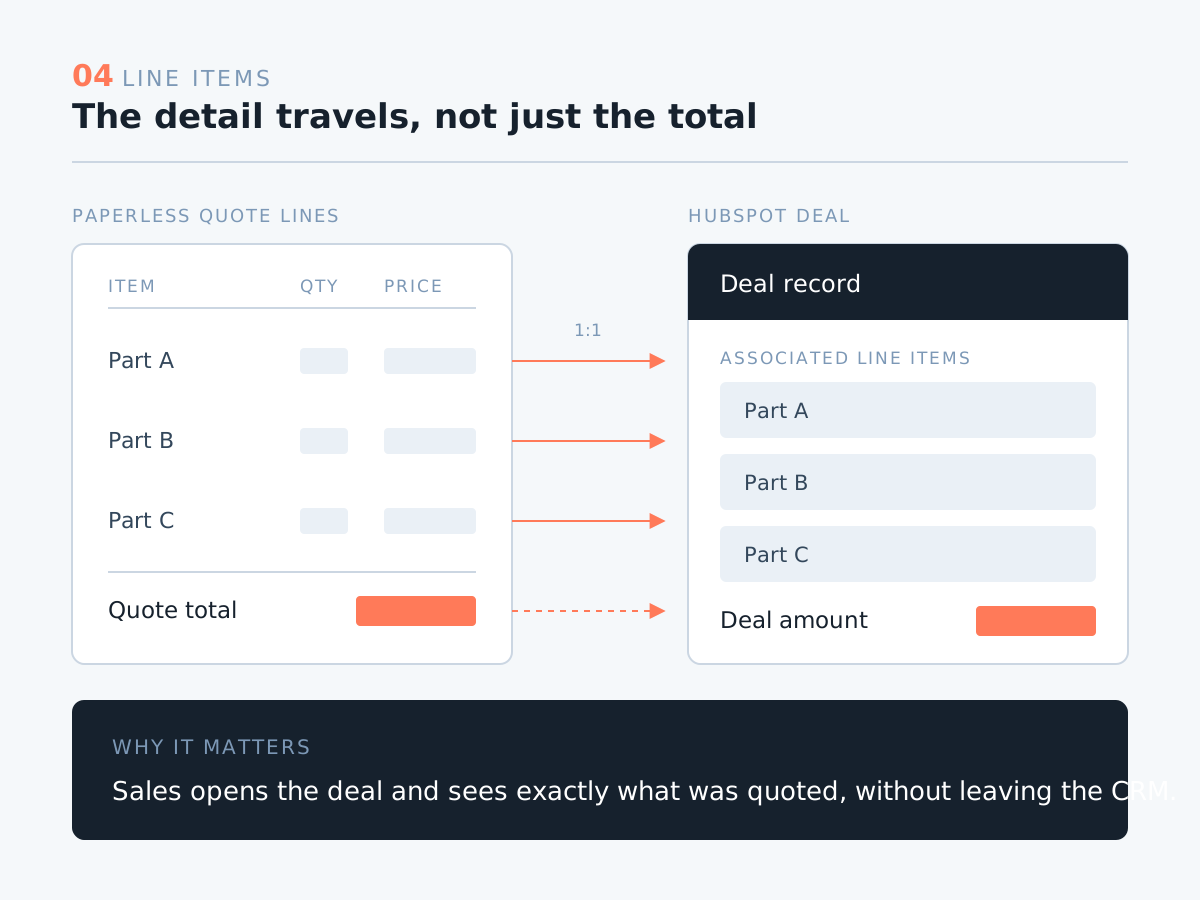
Pushing a deal amount across is the easy half. The client needed the actual composition of the quote in HubSpot: each line item with its quantity and pricing, so the deal reads the same way the quote does. That meant mapping the quote's line-level data into HubSpot line items associated with the deal, so sales could open a record and see exactly what was quoted without leaving the CRM.

cs-paperless-4-line-items
05 The hard part

Rebuild the calculation inside the automation

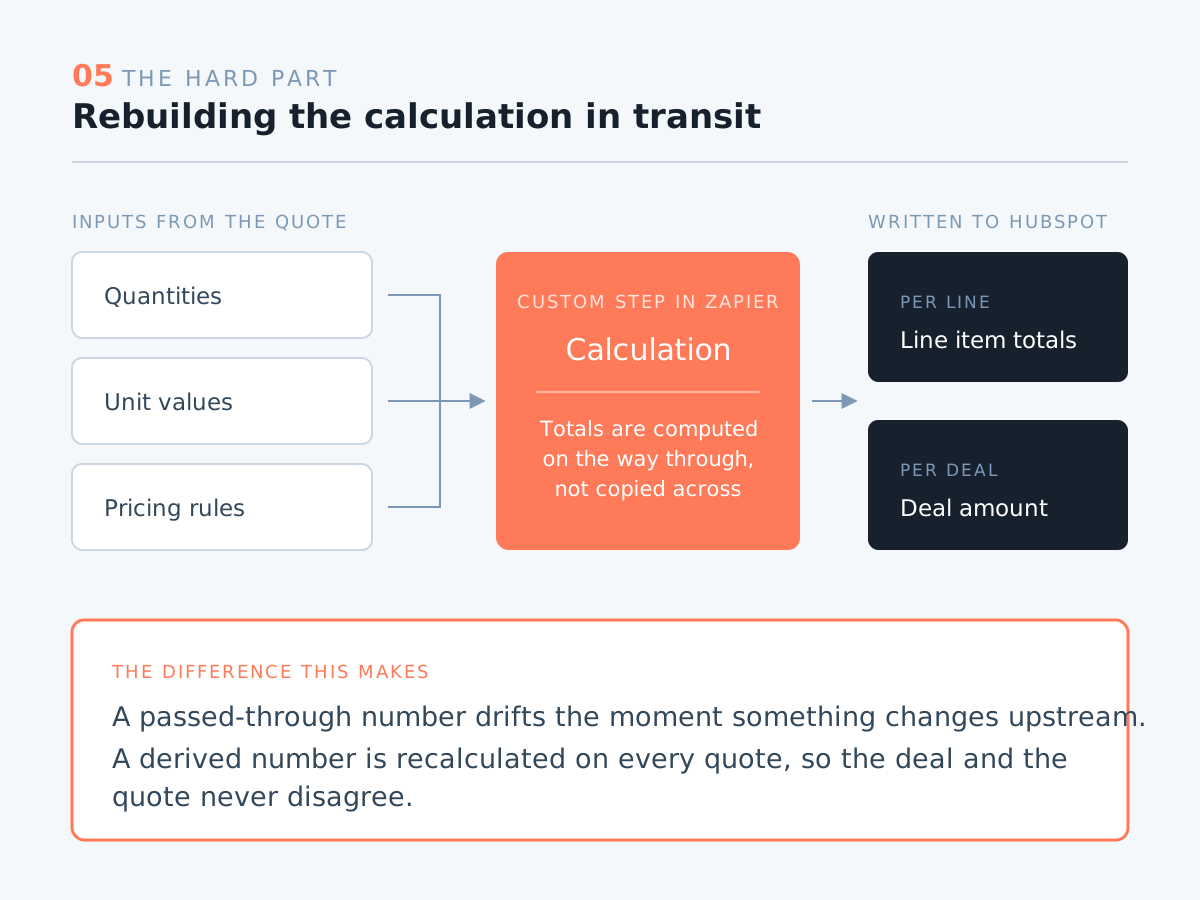
This was the piece the client and I both flagged as the hardest, and it's where most of the work went. The pricing logic in Paperless couldn't be passed through as-is and still produce correct totals in HubSpot, so I rebuilt the calculation as a custom step inside Zapier. Quantities, unit values, and totals are computed in transit, which means the number on the deal is a derived value that matches the quote, not a figure that drifts the moment something changes upstream.

cs-paperless-5-calculation
06 Hand-off

Walk the client through their own system

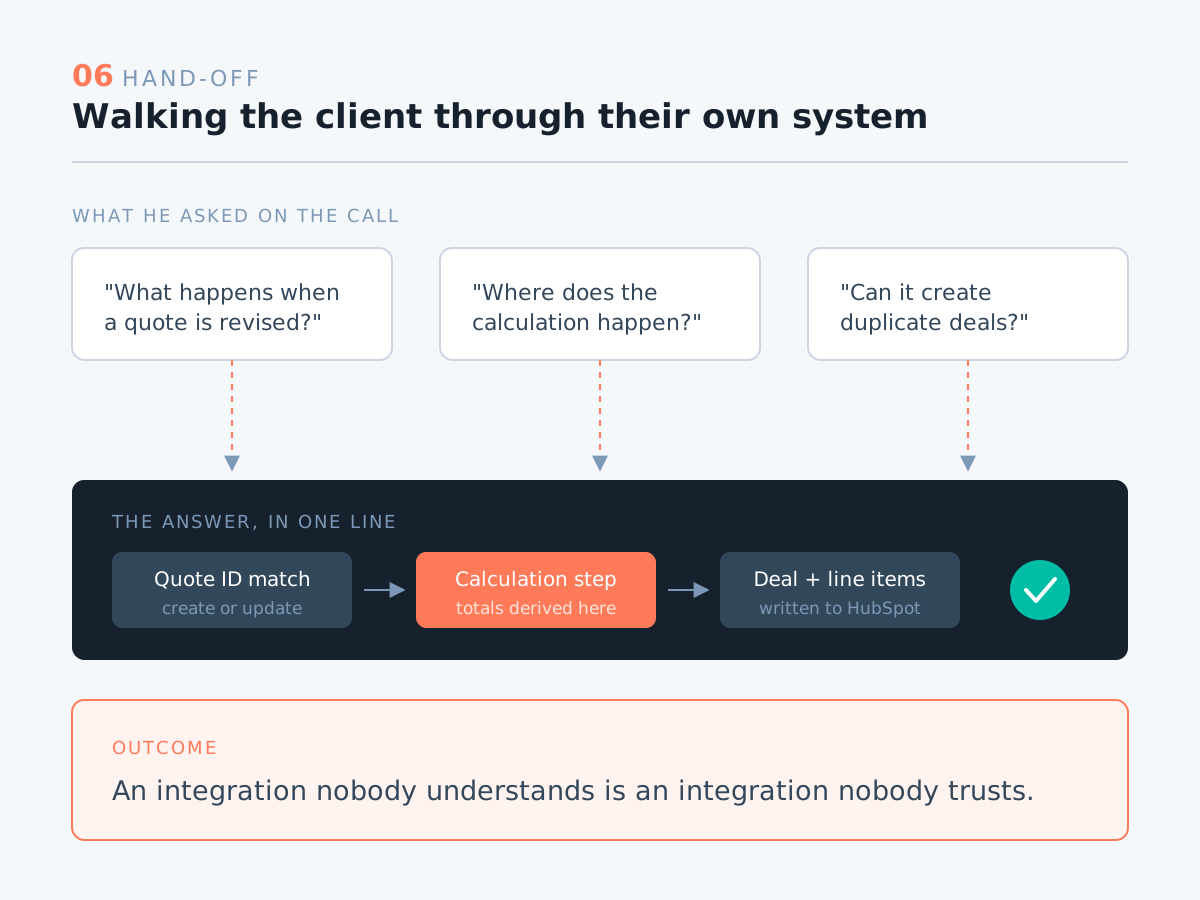
We closed with a hand-off call, and the client came with questions: how the matching works, what happens on a revision, where the calculation actually happens. Going through it end to end is the part I care about, because an integration nobody understands is an integration nobody trusts. He came away surprised at how much of it now runs on its own, and happy with where it landed.

cs-paperless-6-handoff

Have a HubSpot project in mind?

Let's talk about how I can help.

Contact Me